Dashboard
The Dashboard is the main landing page where users can track their learning progress and know their progress at a glance. You can go to your Dashboard by clicking the Home icon in your sidebar.
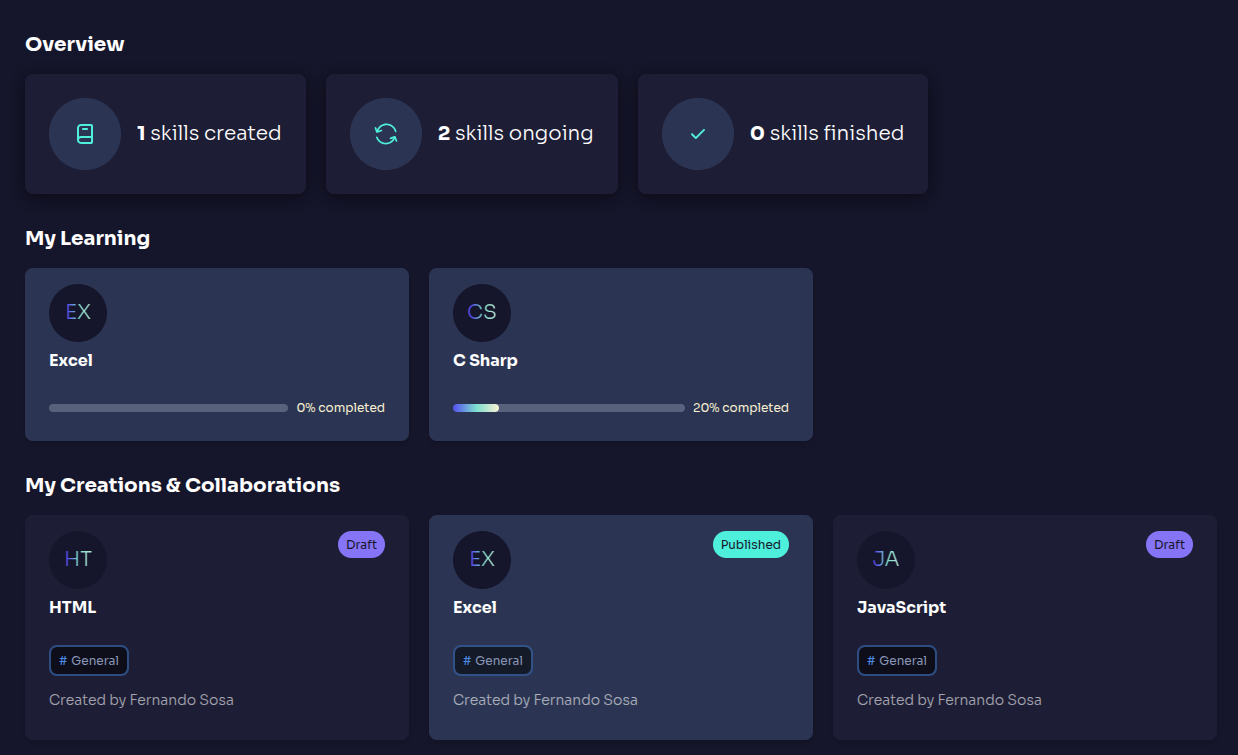
- Overview Section - Displays a summary of available, ongoing, and learned skills.
- My Creations & Collaborations - Helps users monitor their learning journey efficiently.
When users log in, they are greeted with a personalized message and a quick summary of their progress. If no skills are assigned, they will see a prompt encouraging them to explore available training opportunities. Otherwise, they will see any skills that they have added to their learning.
Overview
The Dashboard provides a summary of user activity, including:
- Personalized Greeting With your user name.
- Key Parameters About created, in-progress, and completed skills
- Fast Access To the active courses and skills.