Edukami Docs
  • English
  • Español
  • English
  • Español
  • Start Guide
    • Welcome
    • Concepts
      • Skill
      • Topic
      • Lesson
      • Assessment
      • Topic Evaluation
      • Recap Evaluation
    • Overview
      • Signup
      • Access
      • Google Authentication
      • Profile
  • Dashboard
    • Sections
    • Roles
  • Learning Hub
    • Skill Catalog
    • My Skills
    • Team Skills
    • Skill Learning Experience
      • Lesson Viewer & AI Tutor
      • Assessments & Topic Evaluations
  • Skill Studio
    • Workspace
    • Skill Creation
      • Duplicate Skill
      • AI Suggestion
      • Inspiration
    • Content Creation
      • Create Lesson
      • Create Assessment
      • Create Topic Evaluation
      • Create Recap Evaluation
    • Managing & Publishing Skills
  • Teams
    • Teams Hub
    • Create a Team
    • Team Layout
  • Organization
    • Analytics
    • Members
    • Billing
    • Organization Switcher
  • Feedback
    • UserSnap

Skill Catalog

The Skill Catalog is the place to discover and enroll in new skills available on the platform. Find topics that interest you and start learning instantly!

How it works

Use the advanced search bar to find specific skills.

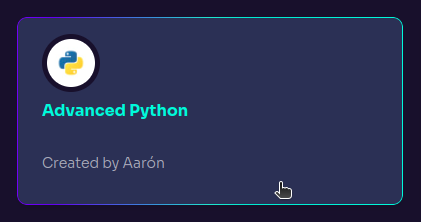
Each skill card information includes:

  • Skill name
  • Representative icon or image
  • Author's name
  • Quick access to skill details
  • Clicking on a skill card opens its details page, where users can learn more and enroll.

Clicking a skill card, a page with its details will appear, where users can obtein more information and sign up for the skill.
Edukami Landing
Prev
Learning Hub
Next
My Skills