Edukami Docs
  • English
  • Español
  • English
  • Español
  • Start Guide
    • Welcome
    • Concepts
      • Skill
      • Topic
      • Lesson
      • Assessment
      • Topic Evaluation
      • Recap Evaluation
    • Overview
      • Signup
      • Access
      • Google Authentication
      • Profile
  • Dashboard
    • Sections
    • Roles
  • Learning Hub
    • Skill Catalog
    • My Skills
    • Team Skills
    • Skill Learning Experience
      • Lesson Viewer & AI Tutor
      • Assessments & Topic Evaluations
  • Skill Studio
    • Workspace
    • Skill Creation
      • Duplicate Skill
        • Synced or Unsynced
      • AI Suggestion
      • Inspiration
    • Content Creation
      • Create Lesson
      • Create Assessment
      • Create Topic Evaluation
      • Create Recap Evaluation
    • Managing & Publishing Skills
  • Teams
    • Teams Hub
    • Create a Team
    • Team Layout
  • Organization
    • Analytics
    • Members
    • Billing
    • Organization Switcher
  • Feedback
    • UserSnap

Duplicate Skill

Skills can be duplicated to create a new skill with the same content. This is useful for creating variations of the same skill or for creating a new skill based on an existing one.

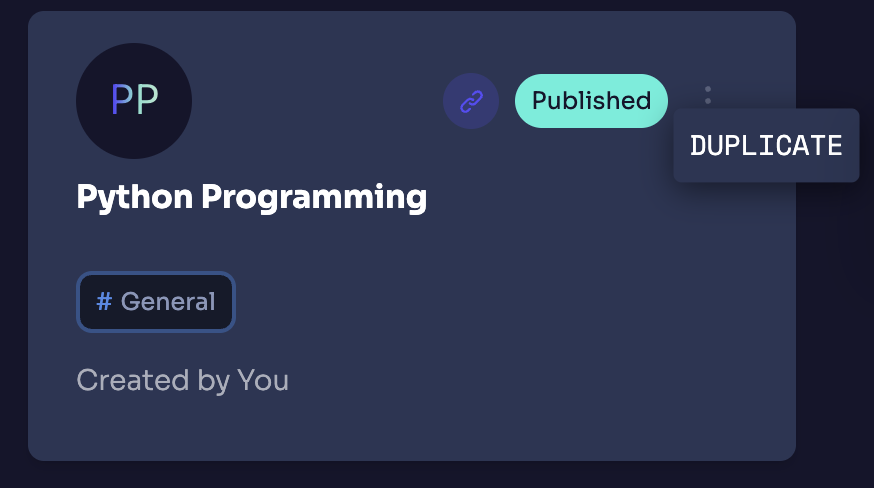
To duplicate a skill, click on the three dots menu and select Duplicate.
Edukami Landing

Synced or Unsynced

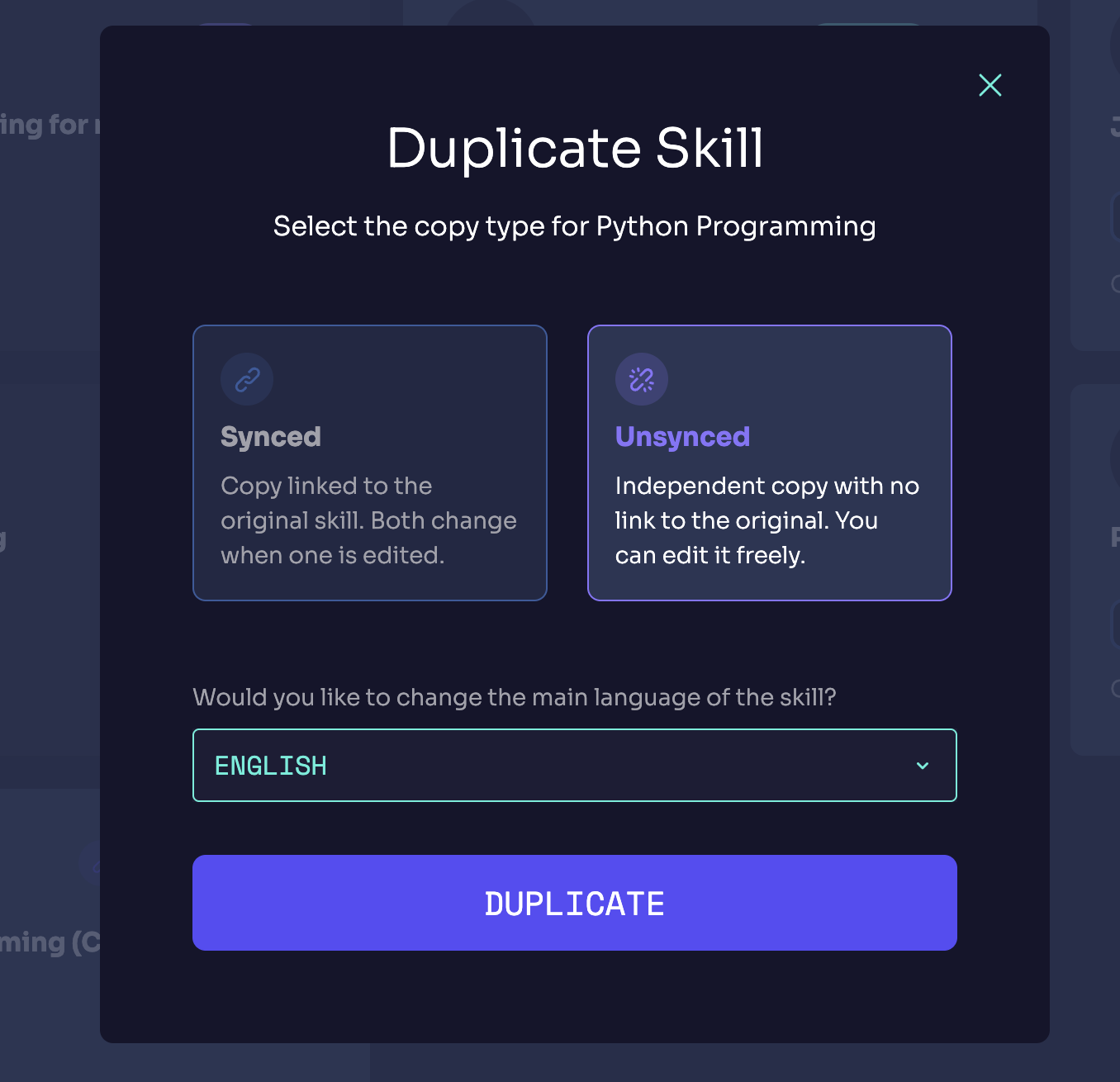
  • Synced Skills: A synced group is created if you choose this option. The synced group will keep the same content along the skills that belong to it. This changes when it comes to delete the skill itself, where it will be desynced from the group to avoid data loss.

  • Unsynced Skills: This option won't create a synced group, meaning that any changes made to the new skill will not affect the original skill. This option also allows you to change the original language of the skill.
Edukami Landing

Desync Skill

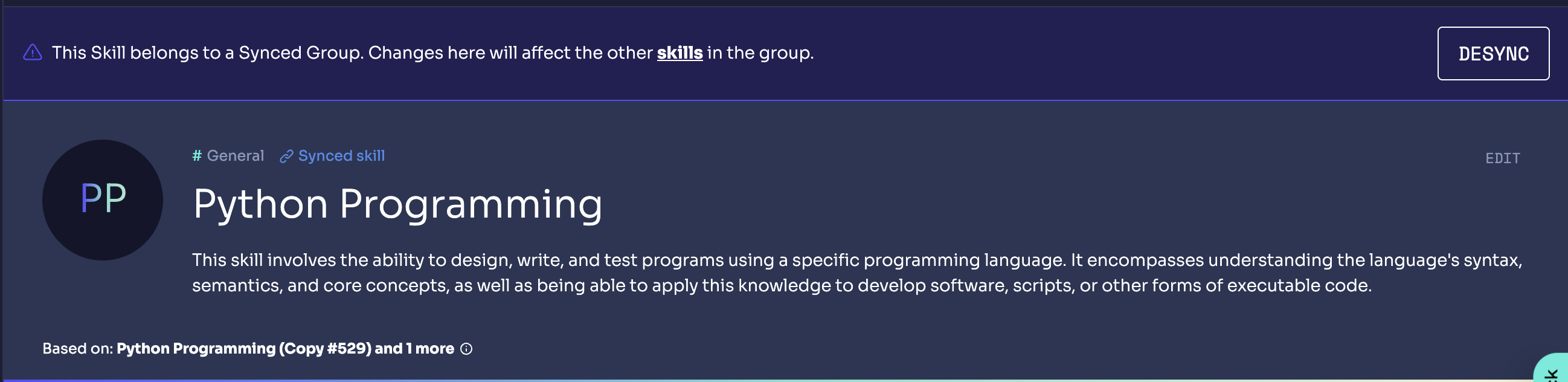
You can desync a skill at any time to keep it independent from the original skill by going to the skill and clicking Desync.
Edukami Landing
Prev
Skill Creation
Next
AI Suggestion