Edukami Docs
  • English
  • Español
  • English
  • Español
  • Start Guide
    • Welcome
    • Concepts
      • Skill
      • Topic
      • Lesson
      • Assessment
      • Topic Evaluation
      • Recap Evaluation
    • Overview
      • Signup
      • Access
      • Google Authentication
      • Profile
  • Dashboard
    • Sections
    • Roles
  • Learning Hub
    • Skill Catalog
    • My Skills
    • Team Skills
    • Skill Learning Experience
      • Lesson Viewer & AI Tutor
      • Assessments & Topic Evaluations
  • Skill Studio
    • Workspace
    • Skill Creation
      • Duplicate Skill
      • AI Suggestion
      • Inspiration
    • Content Creation
      • Create Lesson
      • Create Assessment
      • Create Topic Evaluation
      • Create Recap Evaluation
    • Managing & Publishing Skills
  • Teams
    • Teams Hub
    • Create a Team
    • Team Layout
  • Organization
    • Analytics
    • Members
    • Billing
    • Organization Switcher
  • Feedback
    • UserSnap

Variations Based on User Role

The Dashboard content adapts based on the user's role in the platform:

  • Students: They can access LEARNING HUB.
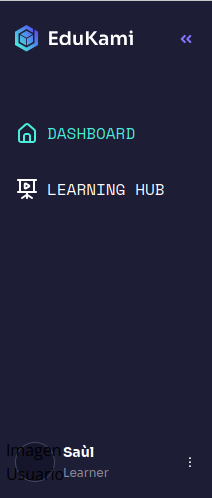
Edukami Landing
  • Experts (Content Creators): They have access to the same sections available to students, including SKILLS STUIDO.
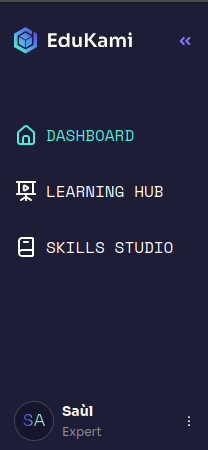
Edukami Landing
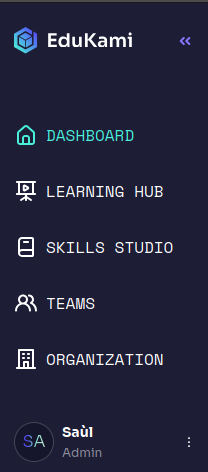
  • Administrators: They have access to all sections available to experts, in addition to TEAMS and ORGANIZATION.
Edukami Landing

Design & Interface

  • Interactive cards that display key information in a clear and accessible way.
  • Distinct colors to differentiate between ongoing, completed, and draft skills.
  • Intuitive icons for easy navigation within the Dashboard.

Access

  • The Dashboard can be accessed from the sidebar navigation menu (🏠 home icon).
  • It serves as a central hub for managing skills and collaborations.
Prev
Dashboard Sections
Next
Learning Hub