Edukami Docs
  • English
  • Español
  • English
  • Español
  • Start Guide
    • Welcome
    • Concepts
      • Skill
      • Topic
      • Lesson
      • Assessment
      • Topic Evaluation
      • Recap Evaluation
    • Overview
      • Signup
      • Access
      • Google Authentication
      • Profile
  • Dashboard
    • Sections
    • Roles
  • Learning Hub
    • Skill Catalog
    • My Skills
    • Team Skills
    • Skill Learning Experience
      • Lesson Viewer & AI Tutor
      • Assessments & Topic Evaluations
  • Skill Studio
    • Workspace
    • Skill Creation
      • Duplicate Skill
      • AI Suggestion
      • Inspiration
    • Content Creation
      • Create Lesson
      • Create Assessment
      • Create Topic Evaluation
      • Create Recap Evaluation
    • Managing & Publishing Skills
  • Teams
    • Teams Hub
    • Create a Team
    • Team Layout
  • Organization
    • Analytics
    • Members
    • Billing
    • Organization Switcher
  • Feedback
    • UserSnap

Workspace

This is the primary area for users to view, edit, and manage skills they are working on.

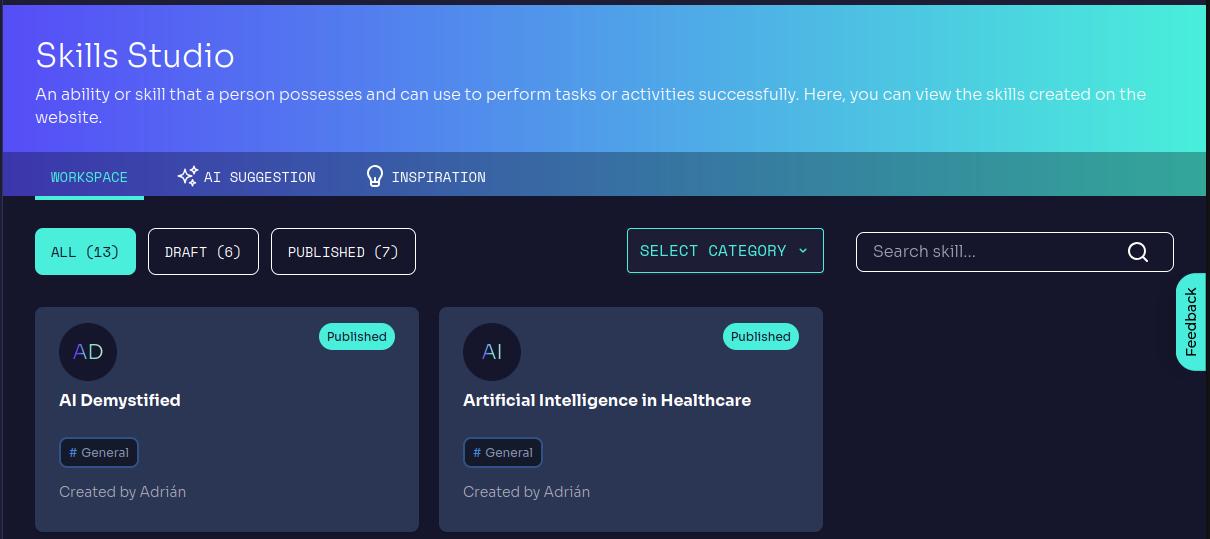
Skill Status Filtering

  • All → Displays all skills (draft and published).
  • Draft → Shows skills still in development.
  • Published → Displays completed and public skills.
Edukami Landing

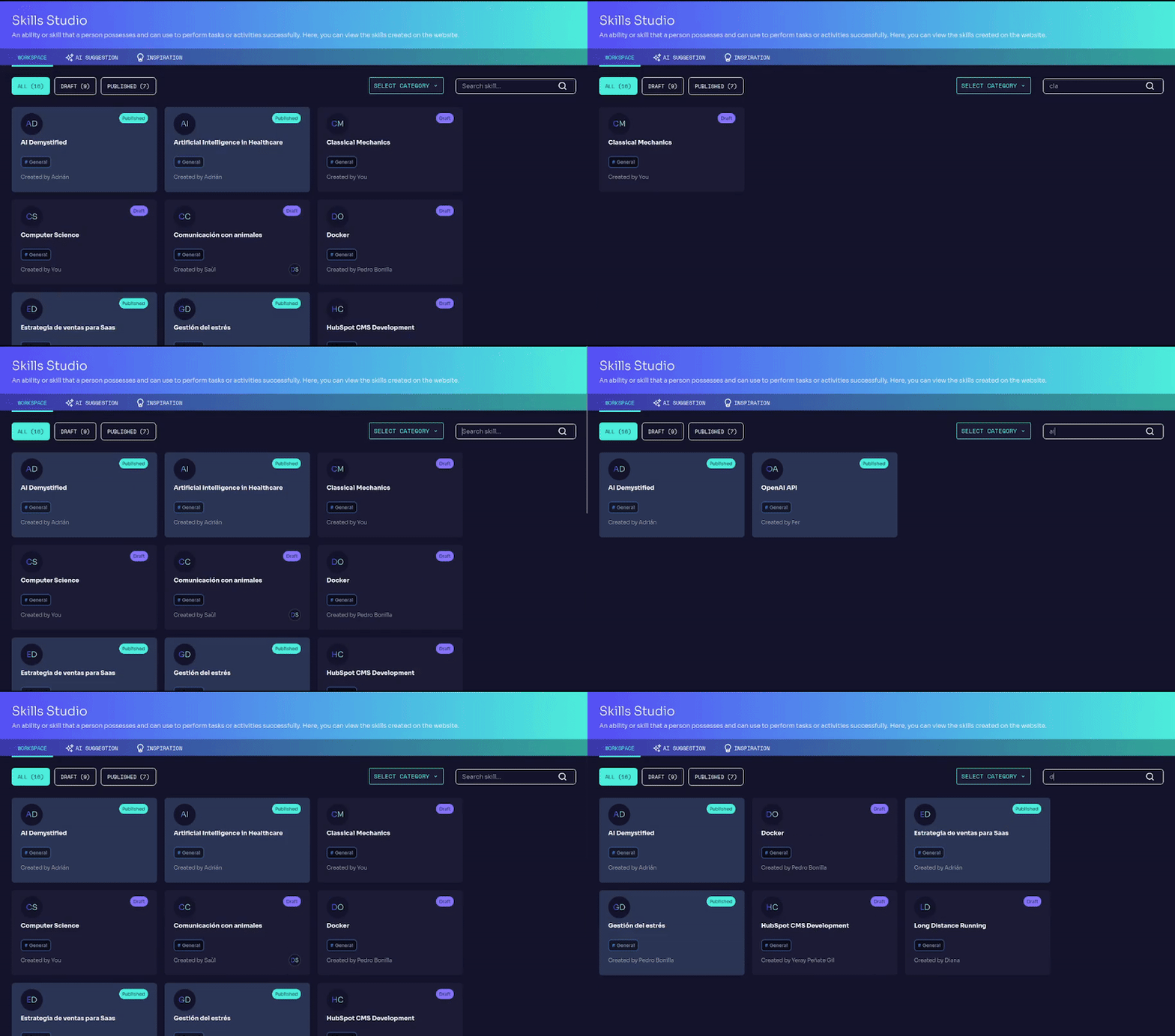
Skill Search & Category Filter

  • Search for a specific skill by name.
  • Filter by category to find skills within a specific topic.
Edukami Landing

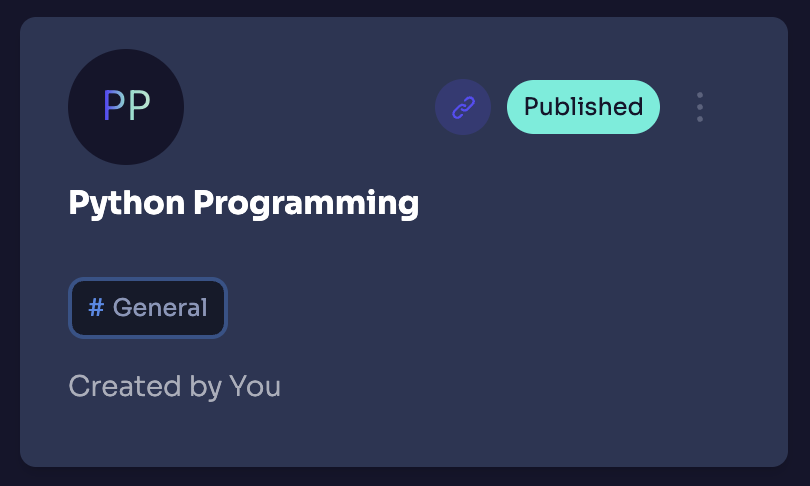
Skill Cards Information

  • Skill Name & Image
  • Status Indicator (Draft/Published)
  • Category Tag
  • Created by (Author Name)
  • Duplicate Menu (Three dots)
  • Synced Skill Indicator (if it belongs to a synced group)
Edukami Landing
Prev
Skill Studio
Next
Skill Creation