Topic Recap
The Topic Recap allows users to automatically generate an evaluation used as a Topic Review. Each lesson has a set of questions related to its content, which will then be reviewed by the AI.
How to Create a Recap
- Navigate to a Topic
- Inside the Skill Studio, open the Topic where you want to create the recap.
- Click
ADD ELEMENT, select Recap and thenGENERATE WITH AI.
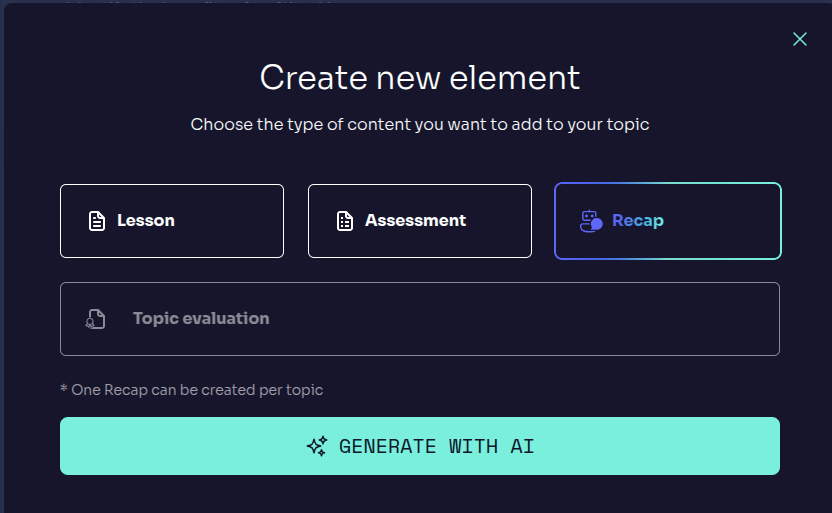
Automatic Generation
- Just like with Topic Evaluation, selecting a specific lesson is not required.
- The system will analyze the entire topic's context to generate the recap automatically.
Display of the recap
- After a brief processing time, the Topic Recap will appear at the bottom of the topic, in the sidebar.
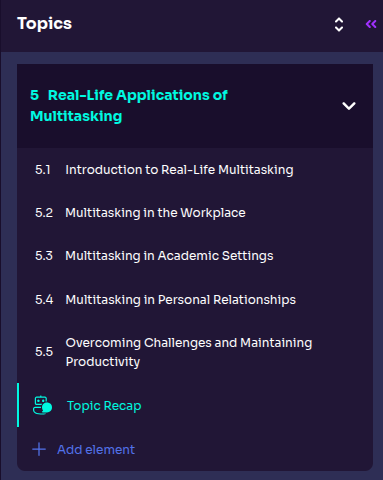
Topic Recap Structure
Once generated, the Topic Recap consists of a set of questions for each Lesson. All of them are short-asnwer question.
Editing the Topic Recap
Recaps are completely customizable. To edit them, click the EDIT button on one of the sets:
- Edit options:
- You can modify the question statement to make it clearer or take a different approach.
- Write a new question and click
ADDto include it. - Delete any irrelevant questions you wish.
- Drag and drop on the left side of the questions to change the order.
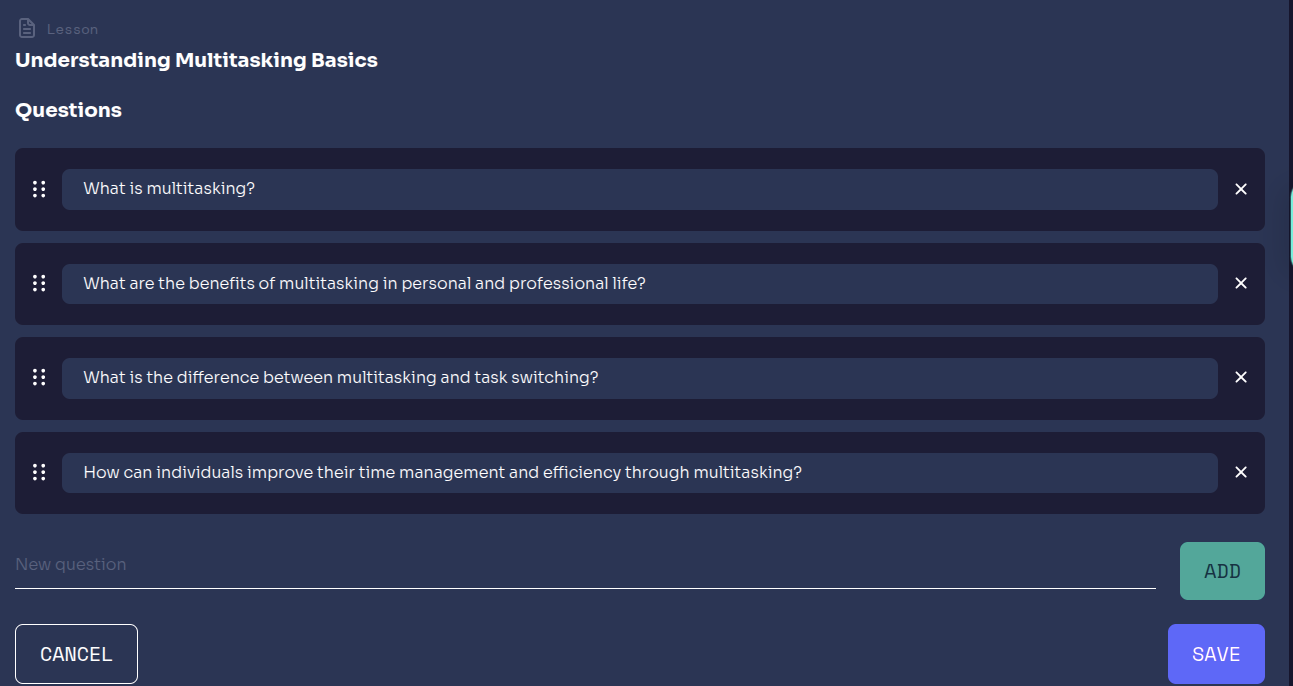
Recap Interface
- Main Panel: Displays the sets and questions, allowing users to edit them.
The Topic Recap is essential for reviewing what was taught, providing tailored feedback thanks to AI.