Lesson Viewer & AI Tutor
When users enter a topic, they get a fully immersive reading experience with:
Lesson Structure:
- Header with Lesson Number & Title (e.g., 1. Variables and data types - 1.1 Introduction to variables).
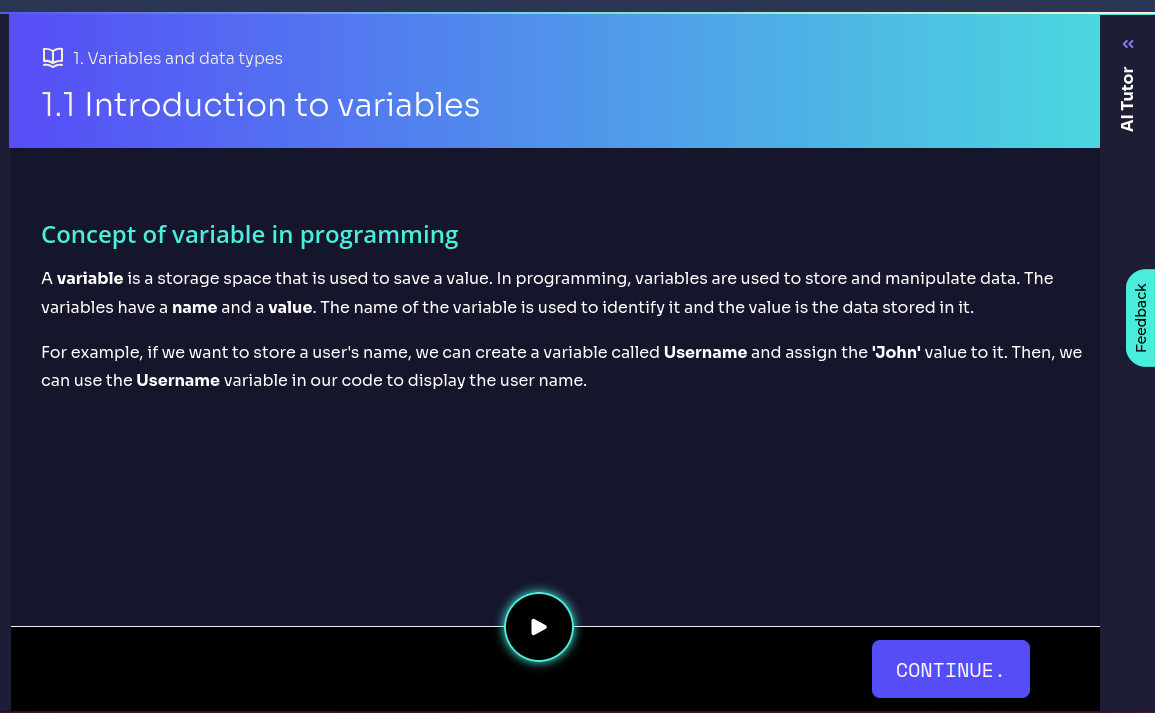
- Structured content explaining key concepts.
- Voice explanation of key concepts using AI.
AI Tutor Assistance
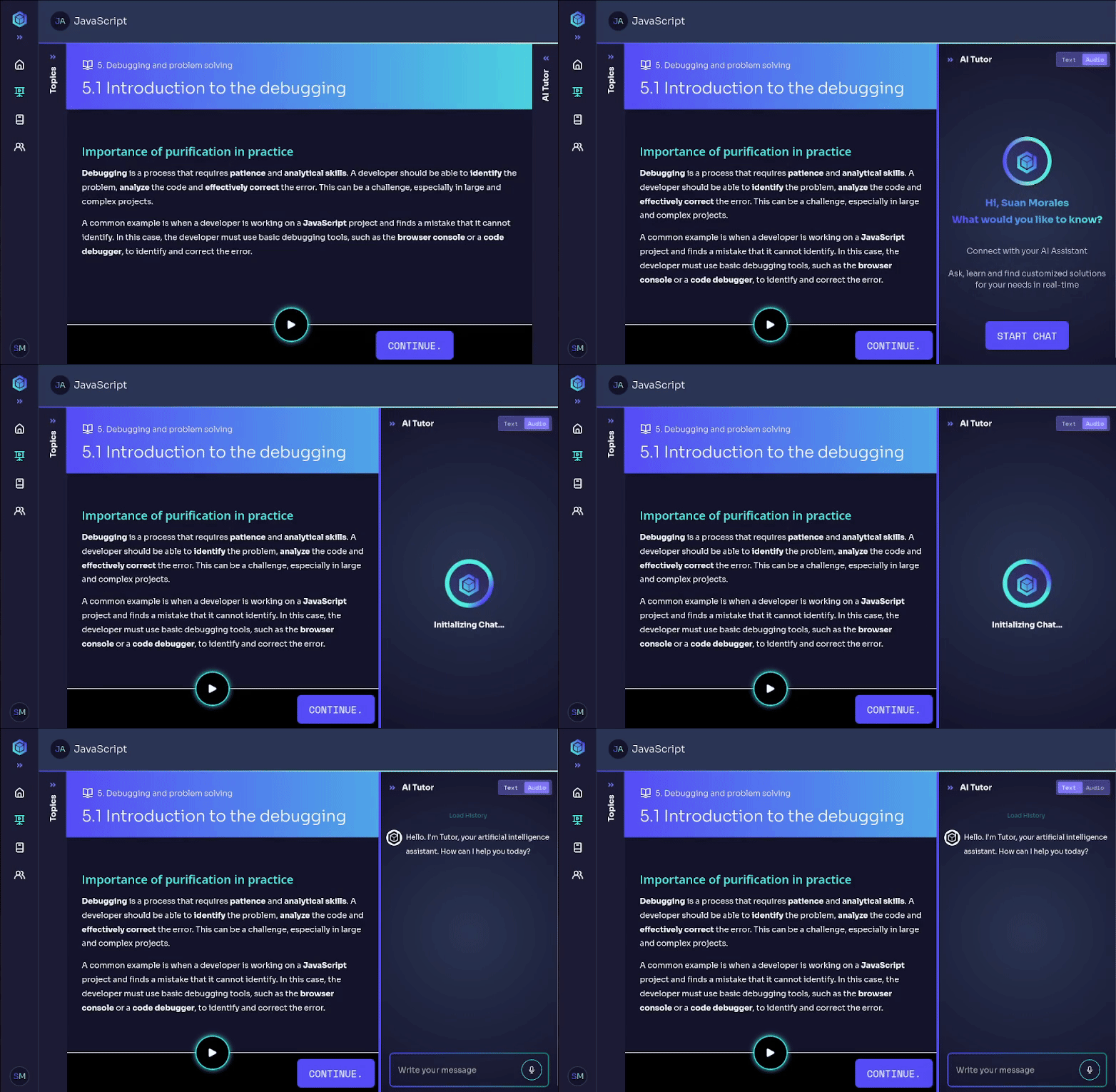
The AI Tutor is available on the right side of the interface, allowing users to:
Topic-Specific Expertise
The AI Tutor is trained to provide expert-level support on the current topic. Whether you're learning about Problem-Solving Strategies, Data Analysis, or Leadership Skills, the AI Tutor adapts its responses to ensure accurate and relevant explanations.
How It Works
- Each topic has its own dedicated AI Tutor, specialized in that subject.
- The tutor can answer questions, clarify concepts, and provide additional insights based on the topic content.
- To initialize the AI Tutor, click the
START CHATbutton. - Decide whether to read or listen to the answer.
Use the AI Tutor to:
- Get instant explanations for complex concepts.
- Ask follow-up questions related to the current topic.
- Receive personalized learning recommendations.
- Gain deeper insights with real-world applications.
Continuing & Navigating Through Lessons
Once inside a lesson, users can navigate through the content and move between lessons using the navigation controls.
Navigation Options
CONTINUEButton → Move forward to the next lesson content.NEXT LESSONButton → Move forward to the next lesson.- Sidebar Navigation (Topics) → Switch between different lessons within an ongoing or finished topic.
Users should complete each lesson before progressing to the next one. However, they can revisit previous lessons at any time for review.