Topic Evaluation
The Topic Evaluation feature allows users to create an assessment that automatically generates questions based on the content of an entire Topic. Unlike Assessments, which are tied to specific Lessons, the Topic Evaluation provides a broader review covering multiple lessons within the same topic.
How to Create a Topic Evaluation?
Navigate to a Topic
- Navigate to a Topic in the Skill Studio.
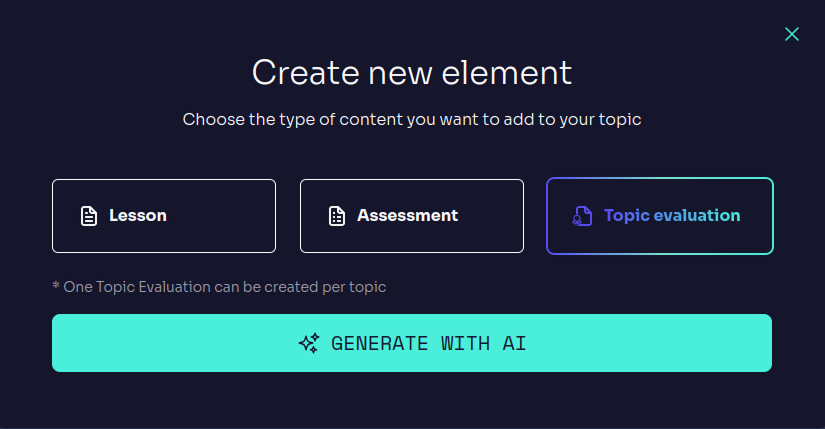
- Click on
ADD ELEMENTand selectTOPIC EVALUATIONfrom the available options.
Automatic Generation
- Unlike Assessments, no further selection is required—the system will automatically use the content of the entire topic.
- The system will use automatically the topic's content to generate a evaluation.
Topic Evaluation display
- After a short processing time, a Topic Evaluation will appear at the bottom of the topic in the sidebar.
Topic Evaluation Structure
Once generated, the Topic Evaluation consists of 10 questions covering different Lessons within the topic. These questions are a mix of:
- Multiple Choice Questions (MCQs) with one or more correct answers.
- True or False Questions to verify conceptual understanding.
Editing the Topic Evaluation
Just like Assessments, Topic Evaluations are fully customizable:
Edit generated questions
- Click on a question and the on the
EDITbutton to edit its text, add hints, possible answers, and correct option. - Adjust or improve the explicarions for a better clarity.
- Click on a question and the on the
Add or delete questions
- Use the
NEW QUESTIONbutton to add additional questions. - Delete irrelevant questions to improve te topic evaluation.
- Use the
Reorder questions
- Drag and drop the questions to change their order.
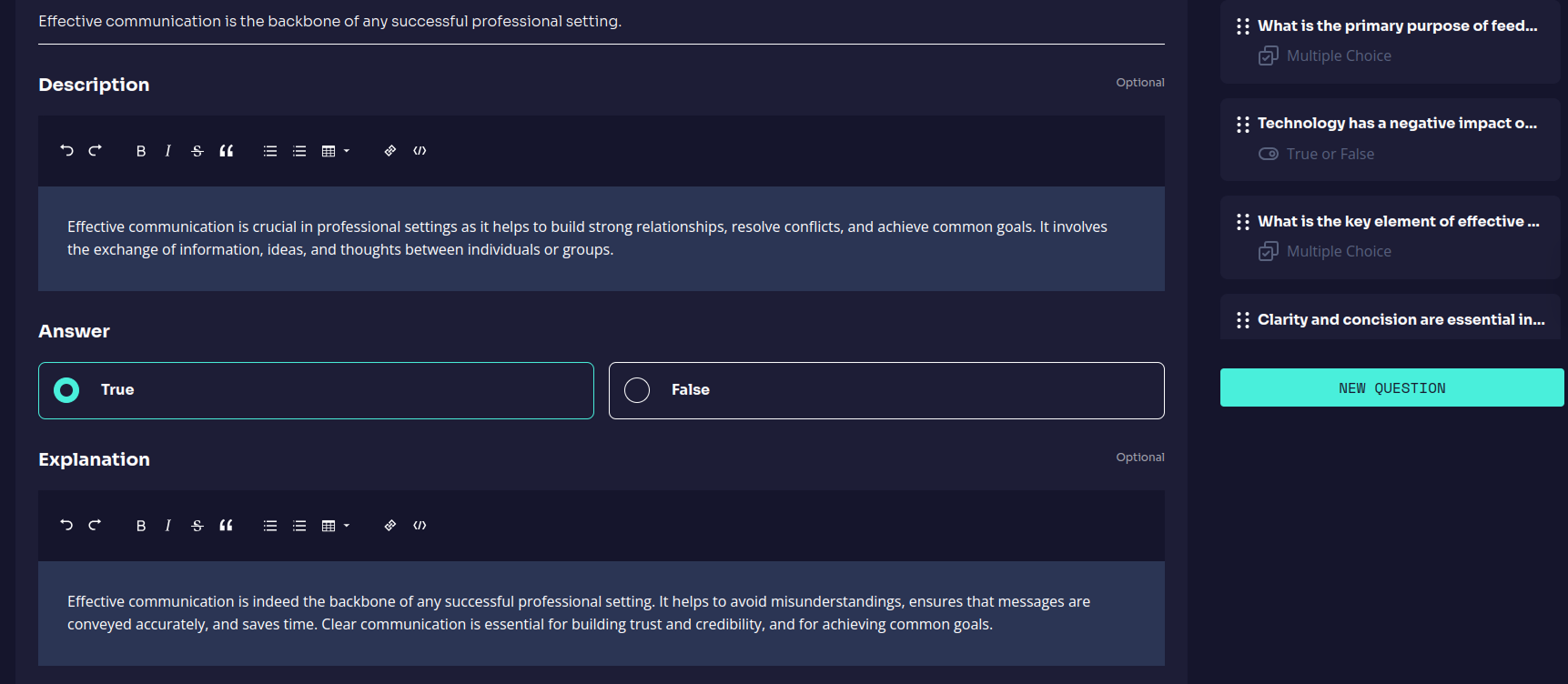
Evaluation Interface
- Left sidebar: Display the list of questions.
- Main Panel: Display the selected question and allows direct editing.
NEW QUESTIONBotton: Allows you to manually add questions.
Topic Assessments are a key tool for assessing the learning of an entire topic, reinforcing knowledge before moving on to new content.