Edukami Docs
  • English
  • Español
  • English
  • Español
  • Start Guide
    • Welcome
    • Concepts
      • Skill
      • Topic
      • Lesson
      • Assessment
      • Topic Evaluation
      • Recap Evaluation
    • Overview
      • Signup
      • Access
      • Google Authentication
      • Profile
  • Dashboard
    • Sections
    • Roles
  • Learning Hub
    • Skill Catalog
    • My Skills
    • Team Skills
    • Skill Learning Experience
      • Lesson Viewer & AI Tutor
      • Assessments & Topic Evaluations
  • Skill Studio
    • Workspace
    • Skill Creation
      • Duplicate Skill
      • AI Suggestion
      • Inspiration
    • Content Creation
      • Create Lesson
      • Create Assessment
      • Create Topic Evaluation
      • Create Recap Evaluation
    • Managing & Publishing Skills
  • Teams
    • Teams Hub
    • Create a Team
    • Team Layout
  • Organization
    • Analytics
    • Members
    • Billing
    • Organization Switcher
  • Feedback
    • UserSnap

My Skills

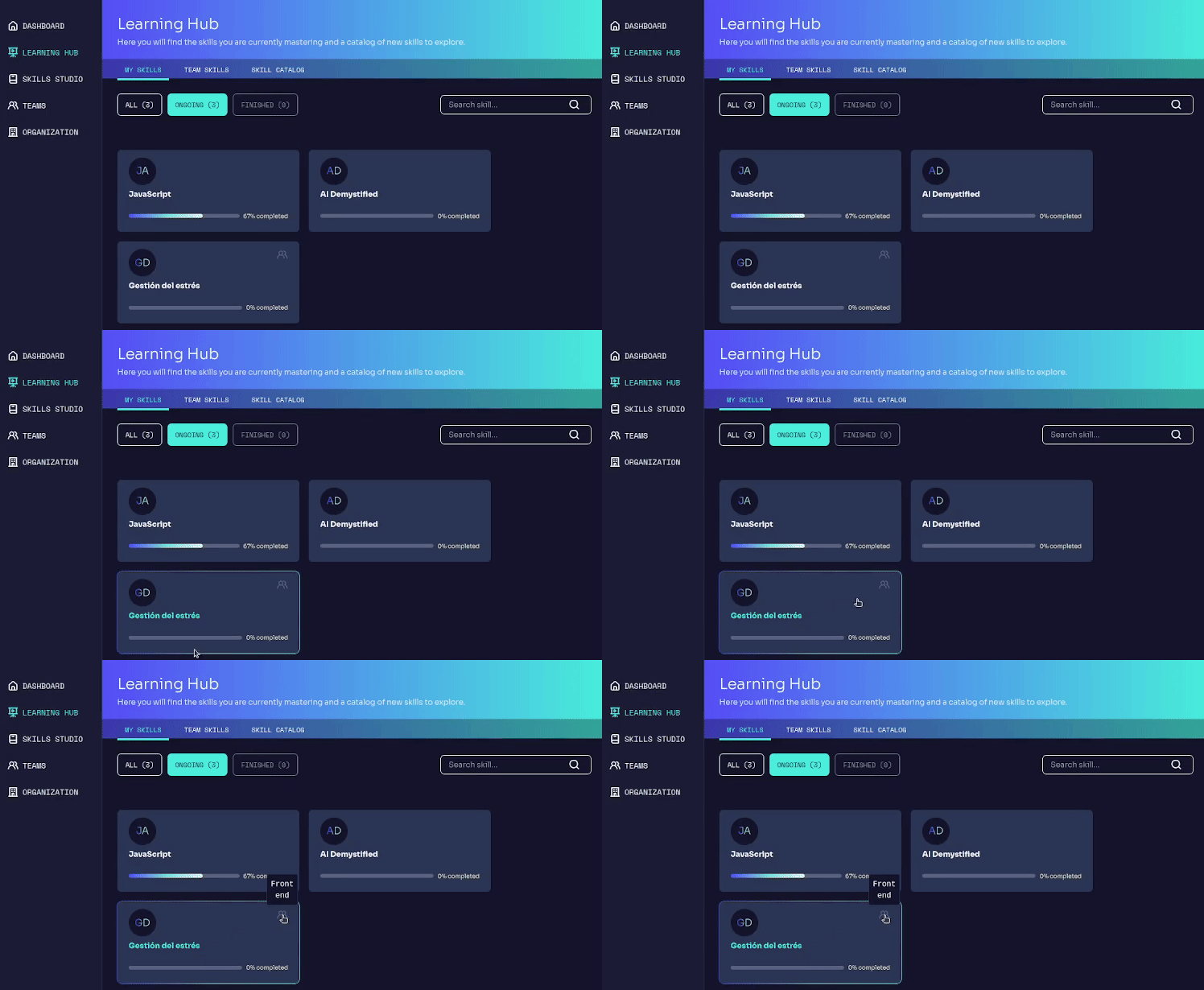
This section displays all the skills you are currently learning.

If you are a new learner and still don't have any skill in your learning this won't be shown. Hurry up and start learning!

How it works

Filter by progress:

  • All → Displays all skills (active and completed).
  • Ongoing → Shows only skills in progress.
  • Finished → Shows only completed skills.

Each skill card information includes:

  • Skill name
  • Representative icon or image
  • Progress bar showing completion percentage
  • Quick access to skill details
  • Teams icon if the skill is assigned to a team.

Clicking in a skill card opens a its detailed learning path and allows users to continue with their progress.
Edukami Landing
Prev
Skill Catalog
Next
Team Skills