Content Creation
Content Creation in EduKami allows users to structure and develop educational materials inside a Skill. Within a skill, users can create Topics, and each topic can include different types of elements that contribute to the learning process.
Structure of a Topic
Each Skill consists of multiple Topics, and within each topic, users can add structured content. The sidebar on the left allows easy navigation between different topics and elements.
The learning flow typically follows this sequence:
- Lesson 📖 → Used to introduce and explain a specific concept.
- Assessment 📝 → Designed to evaluate the learner's understanding.
- Topic Evaluation 🎯 → A higher-level assessment covering an entire topic.
- Topic Recap 🚀 → Designed to review each lesson of a Topic with short answerd questions.
In the next sections, we will dive deeper into how to create each of these elements.
Adding New Elements to a Topic
To add a new element use the ADD ELEMENT button.
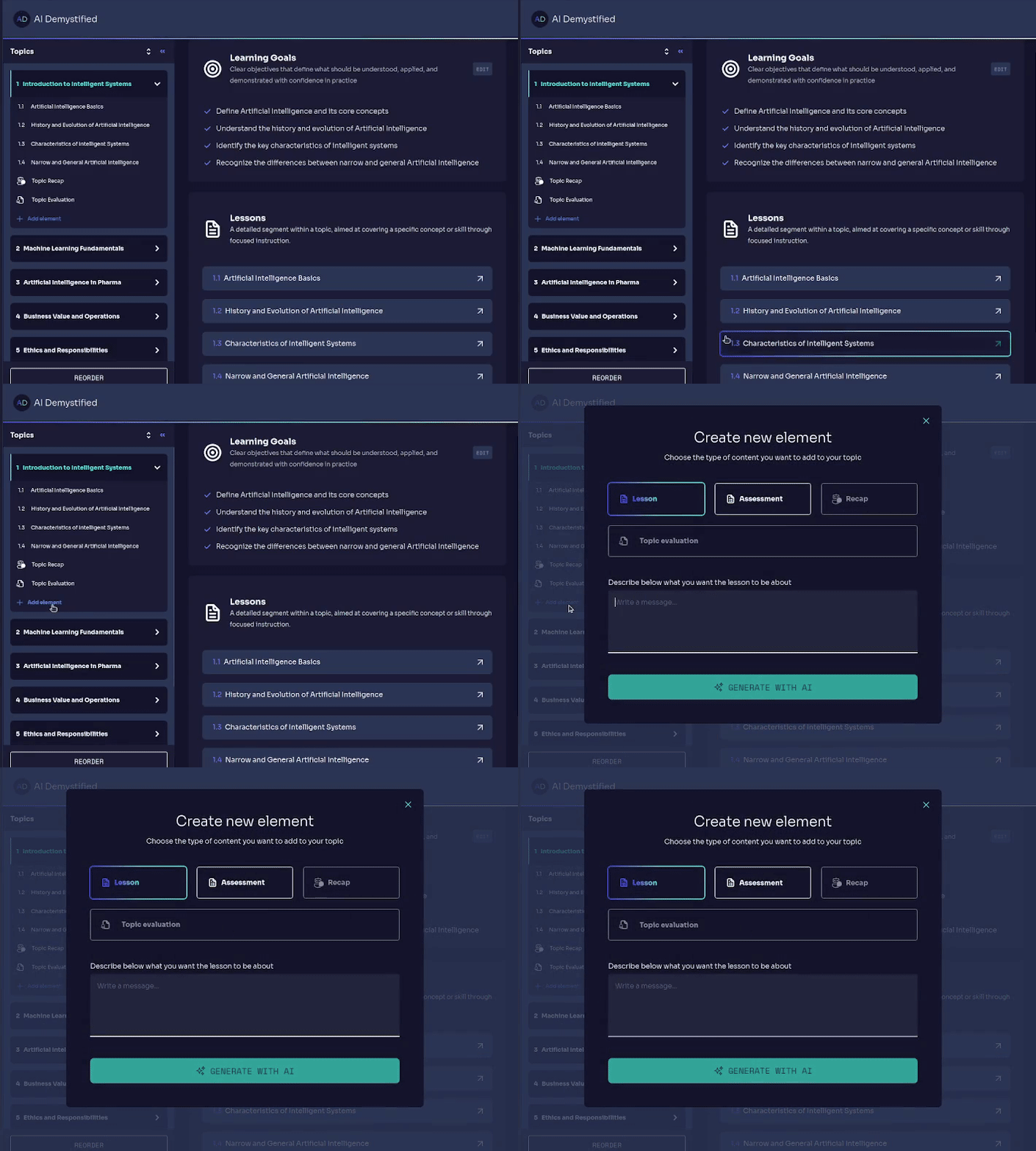
When selecting this option, a pop-up window appears where users can choose from three types of content:
This modular approach ensures that learning is structured effectively, with progressive difficulty and interactive content.